I used to explain Notion as a workspace: pages, databases, relations, views, and a structure that makes knowledge reusable instead of buried.
That’s still true. But it’s no longer the full story.
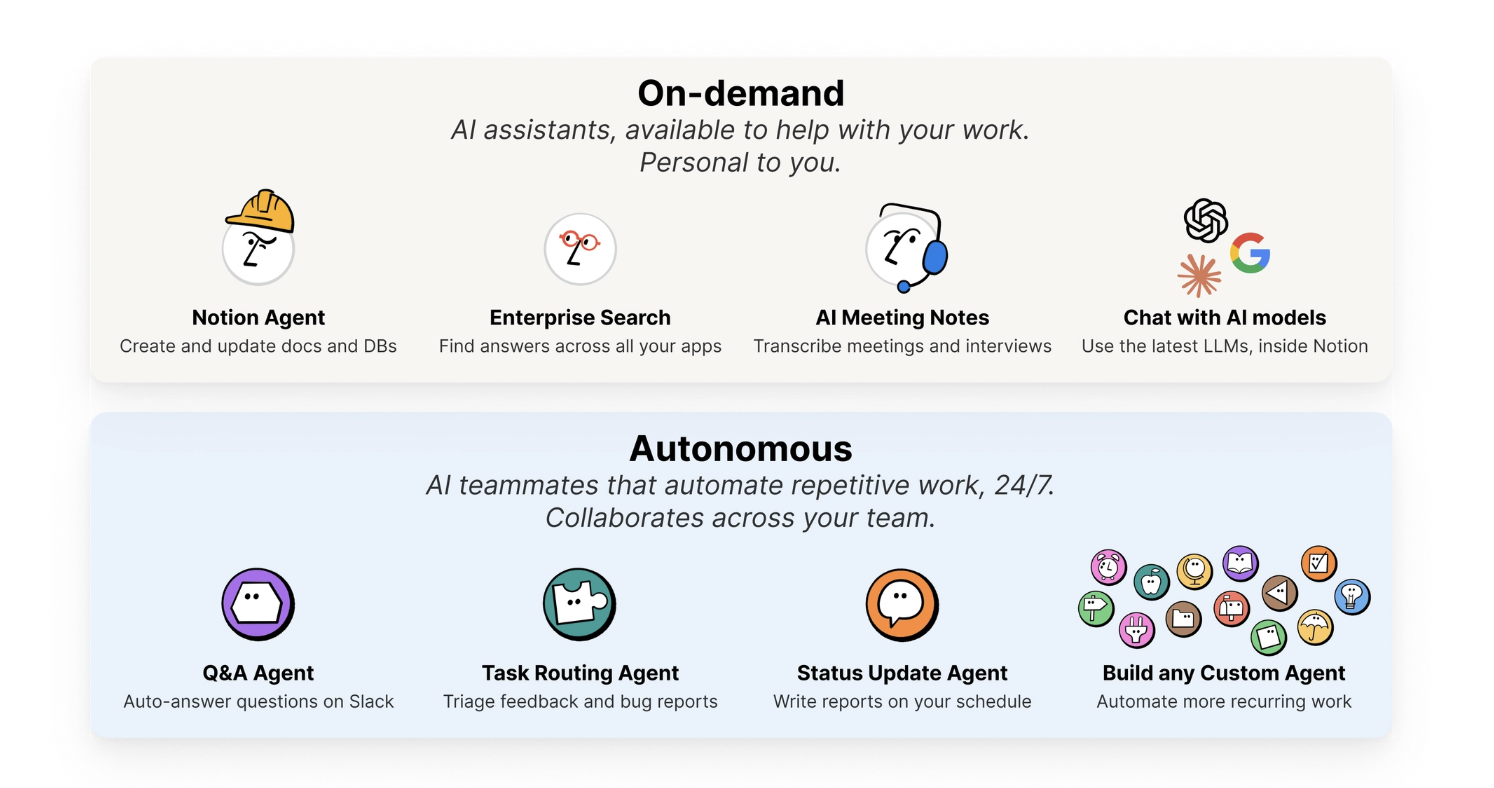
There are now two very different kinds of AI living inside Notion.
1. On-demand AI
This is the AI you call when you need help now.
Ask a question across your workspace. Summarize a meeting. Rewrite a proposal. Draft a page from notes. Find the thing someone swears they wrote three months ago.
This is where Notion AI feels like a personal assistant: close to your work, aware of your context, but still waiting for you to ask.
In my own work, this is useful when I’m moving between messy inputs and clear outputs: turning client call notes into a scope, searching across a project before writing, or asking the workspace to remind me what we already decided.
2. Autonomous AI
This is the more interesting shift.
Autonomous agents do not just answer. They run.
A Q&A agent can answer repeated Slack questions from a knowledge base. A routing agent can triage feedback or bug reports. A status agent can write a weekly update on schedule. A custom agent can watch a database, follow instructions, and move work forward while the team is doing something else.
This is not “AI instead of work.” It is closer to adding a teammate for the repetitive layer of work: the reports, handoffs, follow-ups, classification, summaries, and first drafts that keep a system alive.
That distinction matters.
If your workspace is messy, on-demand AI gives you faster chaos.
If your workspace is structured, autonomous AI can start operating on that structure.
This is why I care so much about the boring parts: databases, naming, relations, templates, permissions, and clear workflows. They are not decoration. They are the rails that make AI useful.
The best Notion AI setup is not a chatbot pasted on top of a workspace.
It is a workspace designed for both humans & AI Agent to easily figure out where things live, what they mean, and what to do with them.